


BMD NTCS Interface for Business Central: COSMO ERP BMD NTCS Interface
Transfer master data, documents, and payments from Microsoft Dynamics 365 Business Central to BMD NTCS in a structured way.

BMD NTCS Interface for Your Financial Data from Microsoft Dynamics 365 Business Central
Many companies run their operations in Microsoft Dynamics 365 Business Central while accounting or tax advisory teams work in BMD NTCS. The COSMO ERP BMD NTCS Interface connects both systems and delivers your financial data in a structured way.
Master data, documents, ledger entries, and payments are prepared in Microsoft Dynamics 365 Business Central and provided in the right format. This cuts down on manual exports, duplicate data entry, and reconciliation between your ERP, Business Central accounting, and tax advisory.
The central setup and Data Exchange Cockpit put you in control of exactly which data gets exported. An export journal and reversal function keep every data run fully traceable — creating a reliable connection between ERP and accounting, especially for companies in Austria.
How the COSMO ERP BMD NTCS Interface Tackles Your Challenges
Features - What's Under the Hood
Standardized Business Central accounting interface to BMD NTCS
The COSMO BMD NTCS Interface transfers financial data from Microsoft Dynamics 365 Business Central to BMD NTCS. This connects your ERP system with your external accounting software.
Central financial data exchange setup
In the financial data exchange setup, you define which customers, vendors, contacts, documents, and payments are exported, how accounts and tax keys are mapped, and which filters apply. This way you configure the financial data exchange once, cleanly, and then use it reproducibly.
Data exchange cockpit for export runs
The cockpit bundles all exports of master data, documents, and payments. You start exports in a targeted way, use filters, and keep track of status via the export journal.
Export journal and cancellation function
Exported data runs are documented. Faulty or unwanted runs remain traceable and can be cancelled if needed.
Mapping for accounts and tax codes
FDE account numbers, external account numbers, and fields in the VAT posting matrix support the assignment of accounts and tax information for BMD NTCS.
Re-export of changed master data
Using export information, the system recognizes which master data has already been transferred. Changed data can be selectively re-provided.
Optional document export
Invoice and credit memo PDFs can be included if needed. File name templates help assign documents to the correct transactions.
Available in the cloud and on-premises
The COSMO ERP BMD NTCS Interface is available in the cloud via Microsoft AppSource as a Business Central app and can be installed on-premises via app or runtime packages.
Take a look—here's how the system works in practice
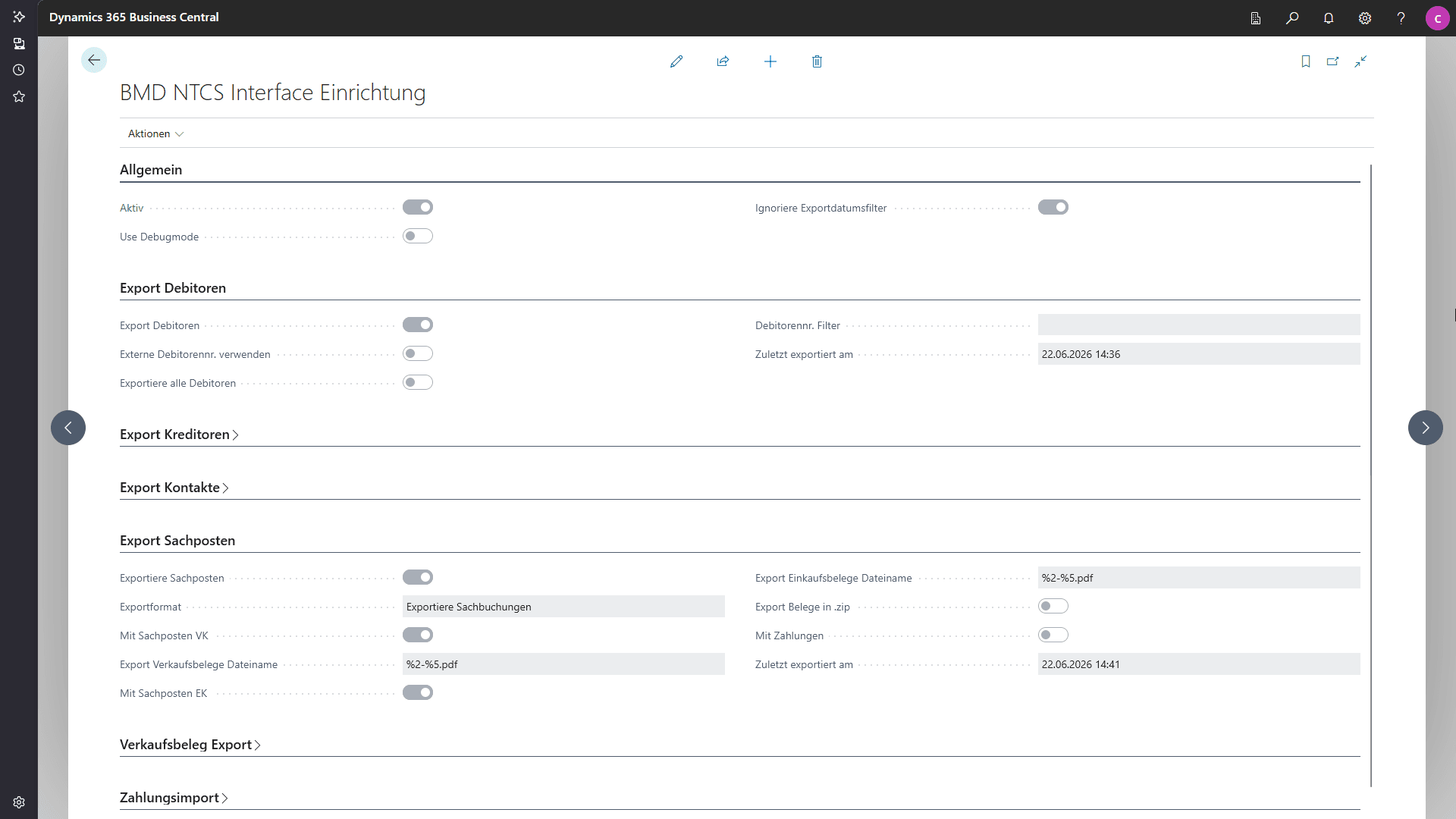
Setup for the financial data exchange between Microsoft Business Central and BMD NTCS, including general settings and export options.

Manage Financial Data Exchange Directly from Microsoft Dynamics 365 Business Central
Microsoft Dynamics 365 Business Central remains your system of record for business transactions. The COSMO BMD NTCS Interface fits right into this environment and works with the data already in your ERP system. Master data, documents, ledger entries, and payments are prepared in the ERP and delivered in a structured format for BMD NTCS — eliminating manual exports and standalone files that would otherwise need to be created, checked, and forwarded one by one.
The result: a unified data flow across ERP accounting, controlling, and tax advisory. Microsoft Dynamics 365 Business Central delivers the relevant financial data, and BMD NTCS processes it in accounting — cutting down on reconciliation work and making export runs easier to track.



















COSMO CONSULT: Your Partner for Business Central and BMD NTCS
Together with COSMO CONSULT, you'll set up the COSMO BMD NTCS Interface to match your financial processes. We help determine which data should flow from Microsoft Dynamics 365 Business Central to BMD NTCS, and how accounts, tax codes, documents, and payments should be mapped.
Our experts support you through analysis, setup, testing, and training. It's about more than the Business Central accounting interface itself — it's about building a stable process across your ERP, Microsoft Dynamics 365 accounting, and tax advisory. The result: a financial data exchange that fits your workflows, stays fully traceable, and takes work off your team's plate every day.
Current awards

6x Microsoft Solutions Partner
Awarded Microsoft’s highest quality seal in all categories.

Microsoft Dynamics Inner Circle
Ranked among the top 1% of Microsoft partners worldwide every year since 2014.

Top employer
Among the top 0.4% of all employers in Germany.
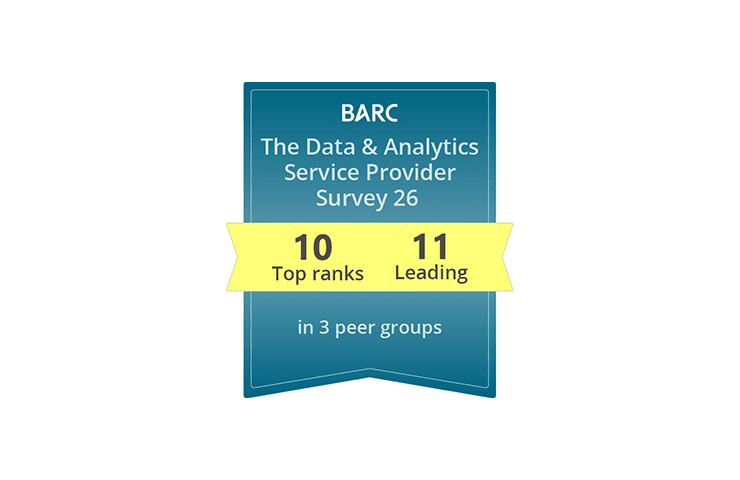
BARC Study 2026
Leading data and analytics partner: 11× Leader, multiple #1 rankings, and a 100% recommendation rate.
Frequently Asked Questions

Found what you were looking for?
Start your intelligent search now