


COSMO Regulatory Affairs
Digital approval workflows for critical processes, audit trail, and Single-Factor Authentication (SFA)—directly in Microsoft Dynamics 365 Business Central.

Regulatory compliance built into your ERP—end‑to‑end control, authentication, and transparency.
With COSMO ERP Regulatory Affairs, you manage approval processes in Microsoft Dynamics 365 Business Central digitally, transparently, and securely. Critical changes to master data, production orders, journals, or workflows are paused, reviewed, and only applied once they receive formal approval. Your system landscape remains auditable and certifiable, changes are fully documented (Change Control), and Segregation of Duties (SoD) is systematically enforced within the ERP.
The solution provides preconfigured regulatory workflows for Business Central—with flexible approval rules, Single-Factor Authentication (SFA), configurable password policies, and a complete audit trail. Every decision is timestamped, assigned to a user, and logged.
This lets you meet regulatory requirements from ISO 9001, IATF 16949, GMP Annex 11, FDA 21 CFR Part 11, or MDR—while saving time with automated, paperless processes.
Here's how COSMO ERP Regulatory Affairs tackles your challenges
Features: what's under the hood
Authentication log and audit trail for all approvals
All approval-relevant changes are logged with timestamps, users, actions, and results—and remain fully traceable in the Business Central audit trail.
Flexible password and authentication policies
Configurable password rules, expiration, failed attempts, and timeouts for the additional approval password (SFA) ensure maximum audit security.
Preconfigured approval workflows for BOMs, routings, and master data
Regulatory workflows for production BOMs, routings, production orders, and item, customer, and vendor statuses secure critical changes in Microsoft Dynamics 365 Business Central—and remain fully customizable.
Segregation of Duties (SoD) and multi-person approval
Approvals can be assigned to individuals, workflow groups, or approval sequences. This enforces clear responsibilities and role separation across your ERP.
Assisted Setup and Compliance Manager Role Center
Guided setup and a dedicated Compliance Manager Role Center consolidate all tasks related to approval workflows, users, and policies directly within Business Central.
Take a look—here's how the system works in practice
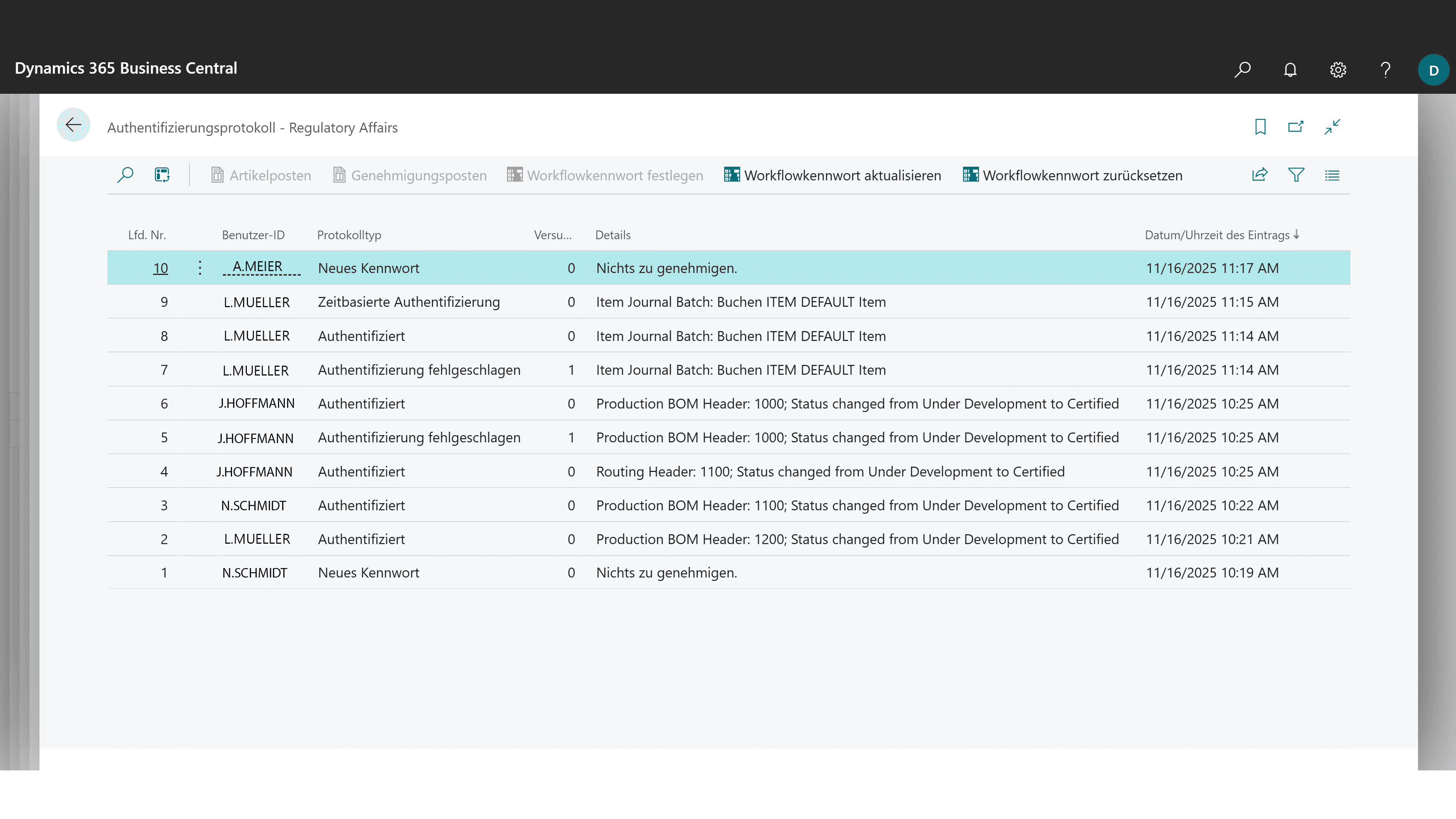
Authentication log with full audit trail of approvals and SFA sign-ins in Microsoft Dynamics 365 Business Central.

Fully integrated with Microsoft Dynamics 365 Business Central
COSMO ERP Regulatory Affairs is a fully integrated workflow management system for Microsoft Dynamics 365 Business Central. All approvals, workflows, and logs run centrally in the ERP—with no isolated tools or media gaps. Critical changes are controlled directly where your data resides and are always fully documented.
Purchasing, production, warehouse, quality management, and IT access the same real-time data and approval status. This ensures transparency, reduces errors, and simplifies audits.
Automated notifications, centralized data management, and consistent governance across all departments ensure that changes are fully documented (Change Control) and compliance becomes part of everyday operations.









COSMO CONSULT – your partner for regulatory and compliance management
With COSMO CONSULT, you have an experienced partner at your side for the implementation of regulatory and compliance management software. From analysis through implementation and training to ongoing support, we provide comprehensive assistance—ensuring that your compliance processes run smoothly. Our experts understand the requirements of regulated industries and offer you personalized consulting, practical training, and ongoing support. With COSMO CONSULT, you benefit from best practices, rapid implementation, and a solution that flexibly adapts to your processes.
How our Regulatory Affairs software is used
4
customers use the solution as a cloud-based SaaS version
Ø 28
users per installation
Current awards
6x Microsoft Solutions Partner
Awarded Microsoft’s highest quality seal in all categories.
Microsoft Dynamics Inner Circle
Ranked among the top 1% of Microsoft partners worldwide every year since 2014.
Top employer
Among the top 0.4% of all employers in Germany.
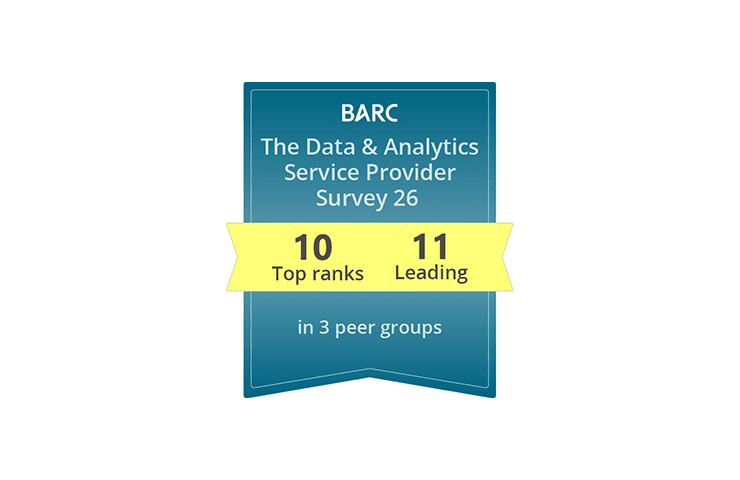
BARC Study 2026
Leading data and analytics partner: 11× Leader, multiple #1 rankings, and a 100% recommendation rate.
Used successfully by these companies



Frequently asked questions

Found what you were looking for?
Start your intelligent search now